Settings, one by one
Click Settings in the account menu at the bottom of the left-hand menu to open the page Firm settings. (On a phone, tap More, then Firm settings.) Some cards are for everyone; others only an administrator can change, or even see. This page goes through them in the order they appear.
Your bar number
The state and bar number of the attorney who runs the firm, and where our check stands: Being checked, Confirmed, Not confirmed, or No online record, not checked. An administrator can correct it until it is confirmed. See Sign up and the bar-number check.
Your hourly rate
Your own starting rate for time entries. Everyone sets their own. See Set your hourly rate.
Calendar feed
Your private address for seeing LexBooks dates in Google Calendar, Outlook or Apple Calendar. See Tasks, the calendar and the calendar feed.
Firm profile, Payment details and Notifications
One form, saved with Save changes. Only administrators can change it.
- Firm profile: the name, address, bar, registration number, logo and time zone of the firm, and an optional link to your AI use policy, shown on your clients' portal. See Your firm details, letterhead and logo.
- Payment details: how clients pay you, printed on every invoice, and an optional online payment link.
- Notifications: tick Send an email when a proposal is accepted or declined to receive an e-mail when a client answers. Type an address in Notification address (optional), or leave it empty to use the administrator's address.
Look
Classic (a plain light background) or Forest (a forest picture behind the sign-in and home screens). It applies to everyone in the firm. Work screens always stay plain.
Dashboard
What your dashboard shows first: Recurring or By the month. It applies to everyone in the firm. See The dashboard.
Online payments (Stripe)
Pay on acceptance, and your firm's own Stripe keys so clients can pay online. Only administrators can change it. See Choose the fee.
Invoice e-mails and reminders
Only administrators can use this card. They turn the reminders for unpaid invoices on or off for the whole firm, and change the wording of the invoice e-mail and the three reminders. See Send invoices by e-mail, and the reminders.
Invite a colleague
Administrators only. Invite people, change their role and remove them. See Invite a colleague and choose a role.
Security and Users
Your own two-step sign-in, and for administrators the rule for the whole firm and the list of users. See Turn on two-step sign-in.
AI features
Whether AI is on, and the privacy level for privileged matters. Everyone can see it; only administrators can change it. See Turn on AI.
Skills for document review
Appears only where document review is switched on for your installation. See Review a document with a skill.
Privacy and AI governance practice
Administrators only. See The “Privacy and AI governance practice” setting.
Conflict check on new matters and letters
Administrators only. Off for new firms. See The conflict check.
Intake link
Everyone can copy the firm's link; administrators turn it on and choose its questions and wording. See Your intake link.
Plan terms and data processing
The Terms of Service and the Data Processing Agreement, whether your firm has accepted each one and when, and the list of the outside companies (sub-processors) that help us run LexBooks. Click Read to open a document.
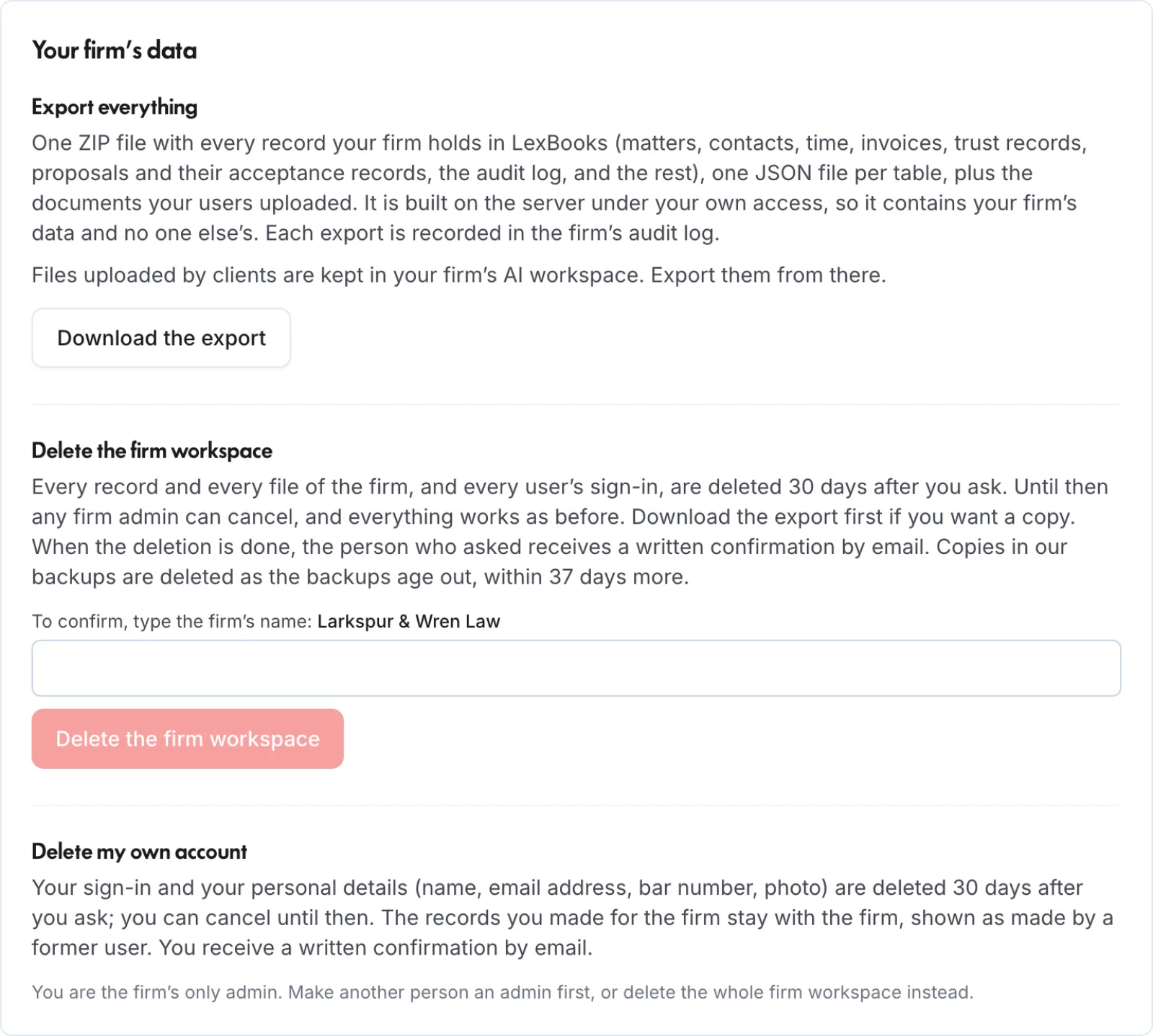
Your firm's data
- Export everything: see Export everything.
- Delete the firm workspace: administrators only. Type the firm's name to confirm. Everything is deleted after a waiting period, during which any administrator can cancel. Download the export first if you want a copy.
- Delete my own account: your sign-in and personal details are deleted after a waiting period. The records you made stay with the firm. The firm's only administrator must first make someone else an administrator.
If something looks wrong
- A card is missing. Some cards are shown only to administrators, or only when a feature is switched on for your installation.
- The fields of a card are greyed out. Only an administrator can change that card. The card says so.