The dashboard and “Needs your attention”
The dashboard is the first screen after you sign in. Click Dashboard in the left-hand menu to come back to it. It shows how the firm is doing and what is waiting for you.
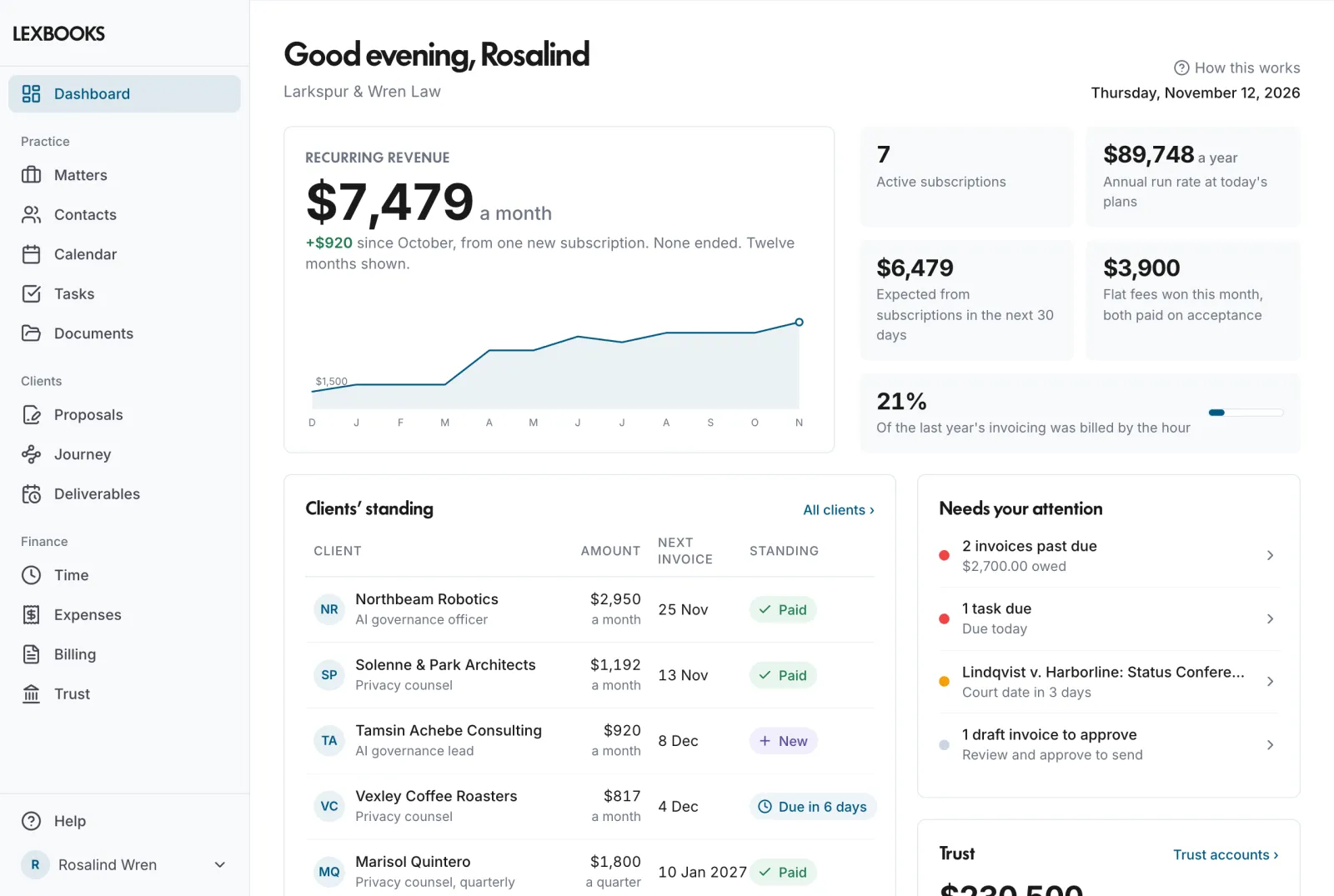
What the cards show
- Recurring revenue: what your subscriptions bring in each month, with the last twelve months. A subscription counts once its signed letter has become a matter.
- Clients' standing: each client with an open matter, what they pay, when their next invoice is due, and whether they are paid up or late. Click a client to open their page.
- Collections, six months: what you billed and what you collected, month by month.
- Needs your attention: the list of things waiting for you (see below).
- Trust: the money held for clients, account by account, and whether each account's client ledgers add up to its balance.
- Owed to you and Time, this week: what clients owe, and the hours recorded this week.
Each card has a link at the top right to the page behind it, such as Billing or Trust accounts.
Needs your attention
This card lists up to eight things, the most urgent first. Click a line to go where you can deal with it. It can show:
- invoices past their due date, how much is owed, and whether reminders are running (the reminders);
- tasks due today or late;
- court dates and deadlines in the next seven days;
- a statute of limitations within 60 days;
- files that clients uploaded and you have not reviewed;
- plan invoices due (see Invoices for monthly and yearly plans);
- invoices approved but not yet sent, and draft invoices to approve;
- letters about to expire, or waiting for the client;
- billable time not invoiced for more than two weeks.
When nothing is waiting, it says “Nothing needs your attention right now.”
The setup list
While your firm is new, the dashboard starts with Set up your firm: seven first steps that tick themselves as you do them. Click a step to go where it is done, or click its help link to read how. Click Hide to put the list away.
Choose what the dashboard shows first
In Settings, the card Dashboard offers two views for the whole firm: Recurring, with recurring revenue first, and By the month, with this month's income against what it should be first.
If something looks wrong
- The recurring revenue is zero although clients signed subscriptions. A subscription counts once its letter has been converted to a matter. Open each accepted letter and click Convert to matter.
- A client is missing from Clients' standing. Only clients with an open matter appear.