Trust accounts
The Trust page keeps a record of the money you hold for clients: deposits, payments out and a ledger for each client. Your bank holds the funds; your firm remains responsible for its trust account. LexBooks is a record, not a bank, and moves no money.
Add a trust account
- Click Trust in the left-hand menu.
- Click New account.
- Type the Account name, for example “Primary IOLTA”, and the Bank name.
- Type the Account number. The last four digits are enough.
- Choose the Account type: IOLTA or Non-IOLTA trust.
- Click Create account.
Record a deposit
- Open the account.
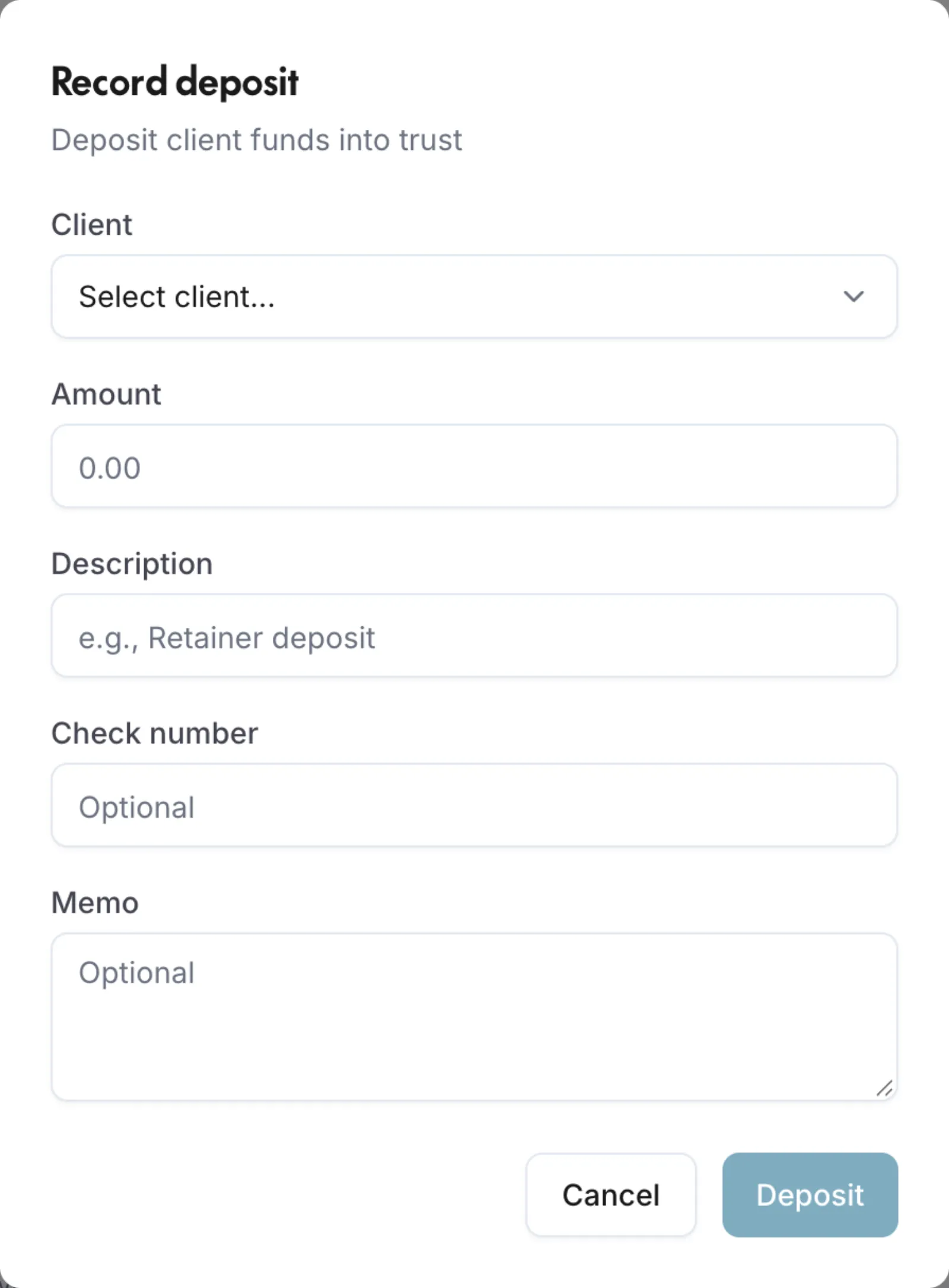
- Click Deposit.
- Choose the Client. Only contacts marked as clients are listed.
- Choose the Matter (optional), type the Amount and a Description, for example “Retainer deposit”, and the Check number if there is one.
- Click Deposit. The button shows the amount.
Record a payment out
- Open the account.
- Click Disburse.
- Choose the Client ledger. LexBooks shows how much is available for that client.
- Choose the Type: to the client, to the firm, or to someone else. For someone else, type the Payee.
- Type the Amount and a Description.
- Click Disburse, then confirm.
LexBooks never lets a client's ledger go below zero. A payment out is recorded permanently and cannot be edited.
What happens next
The account page shows the Current balance, a ledger for each client, and the transactions. Click a client's ledger to see only their transactions. The dashboard's Trust card shows the total held and whether every client ledger adds up to the account balance.
If something looks wrong
- The client is not in the list. Mark the contact as a client: open the contact, click Edit, tick Client and save.
- The amount is refused. You cannot pay out more than the client's available balance.
- A payment out was wrong. It cannot be edited. Record a deposit that corrects it, with a description that says why.