Export everything
You can download every record your firm holds in LexBooks in one file, at any time, including after a trial or a subscription ends. Your data is yours.
You must be an administrator, and you must have signed in with two-step sign-in.
Steps
- Click Settings in the account menu at the bottom of the left-hand menu.
- Scroll to the card Your firm's data, at the end of the page.
- Under Export everything, click Download the export.
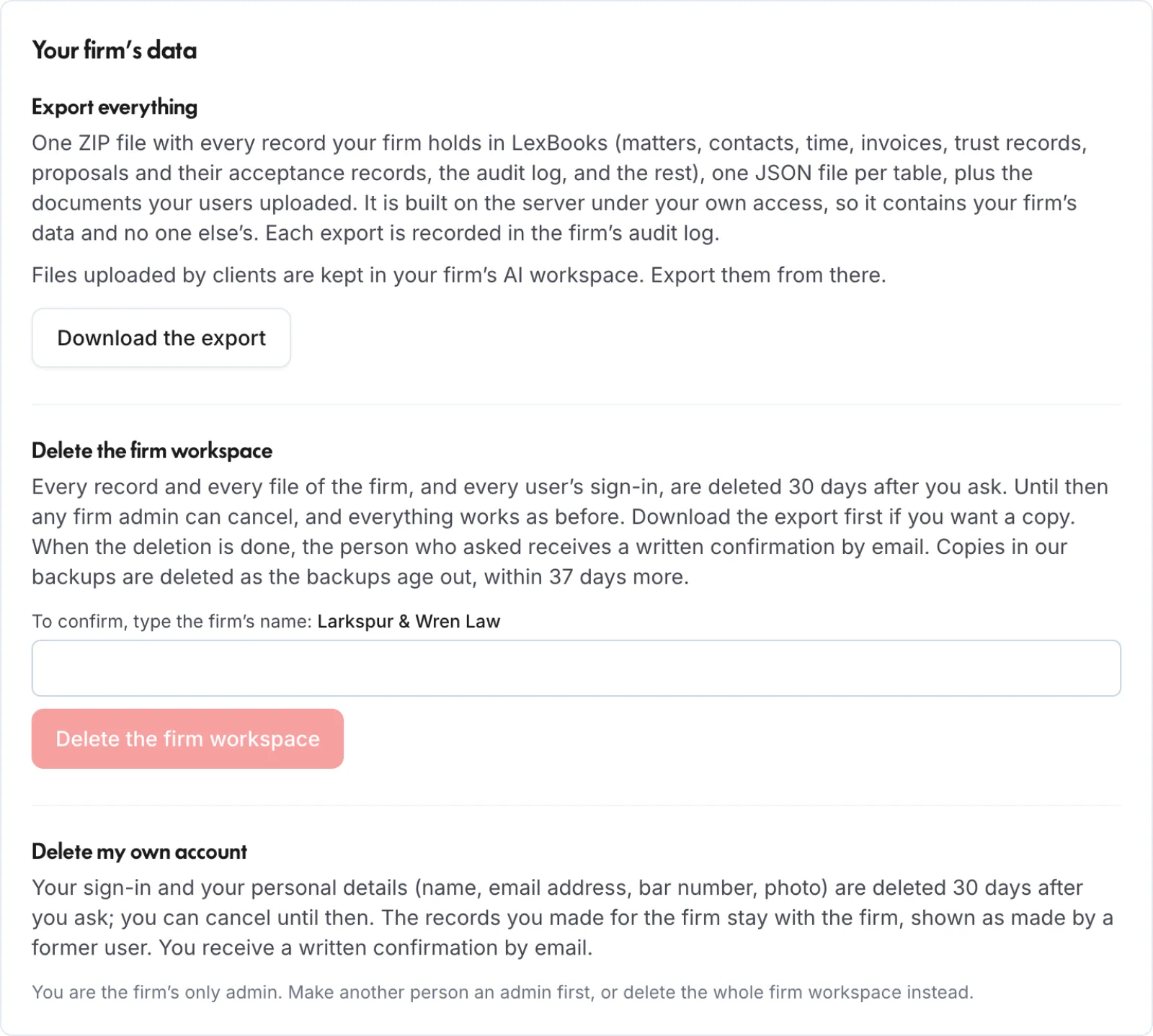
- Wait while LexBooks prepares the file. Your browser then saves it, usually in your Downloads folder.
What is in the file
The file is a ZIP file. It holds:
- every record of your firm (matters, contacts, time, invoices, trust records, letters and their acceptance records, the audit log and the rest), as one JSON file per kind of record;
- the documents your users uploaded;
- a file that explains the contents (README.txt).
Files that your clients uploaded through their portal are kept in your firm's AI workspace, and are exported from there.
What happens next
Each export is recorded in the firm's audit log. Keep the file somewhere safe: it holds confidential client information.
If something looks wrong
- “Only a firm admin can download the export.” Ask an administrator of your firm.
- The download does not start. Check that your browser allows downloads from www.lexbooks.app, then try again. A large firm's export can take a minute to prepare.