The free trial, the plan and how to cancel
Your firm starts with 30 days free. No card is needed to start. There are two plans, LexBooks Counsel and LexBooks Bridges, each for any number of users. During the trial your firm has LexBooks Bridges if you answered that you do privacy and AI governance work, and LexBooks Counsel otherwise. When the trial ends, an administrator chooses the plan on the Plan page. The prices are those shown on the Plan page.
During the trial
Everything works. In the last seven days, a line under the menu tells you the date the trial ends, and LexBooks e-mails you before it ends.
If the trial ends without a subscription, nothing is deleted. Everything stays readable, and you can still download the export, but you cannot create anything new until an administrator adds a card.
Subscribe
You must be an administrator.
- Click Plan in the account menu at the bottom of the left-hand menu. (On a phone, tap More, then Plan.)
- Read the Terms of Service and the Data Processing Agreement, and tick both boxes: I accept the Terms of Service for my firm and I accept the Data Processing Agreement for my firm.
- If you have a promotion code, type it in Promotion code.
- Click Continue to secure checkout. (After the trial has ended, the button reads Add a card.)
- Enter your card on the payment provider's page and confirm. LexBooks never sees or stores your card.
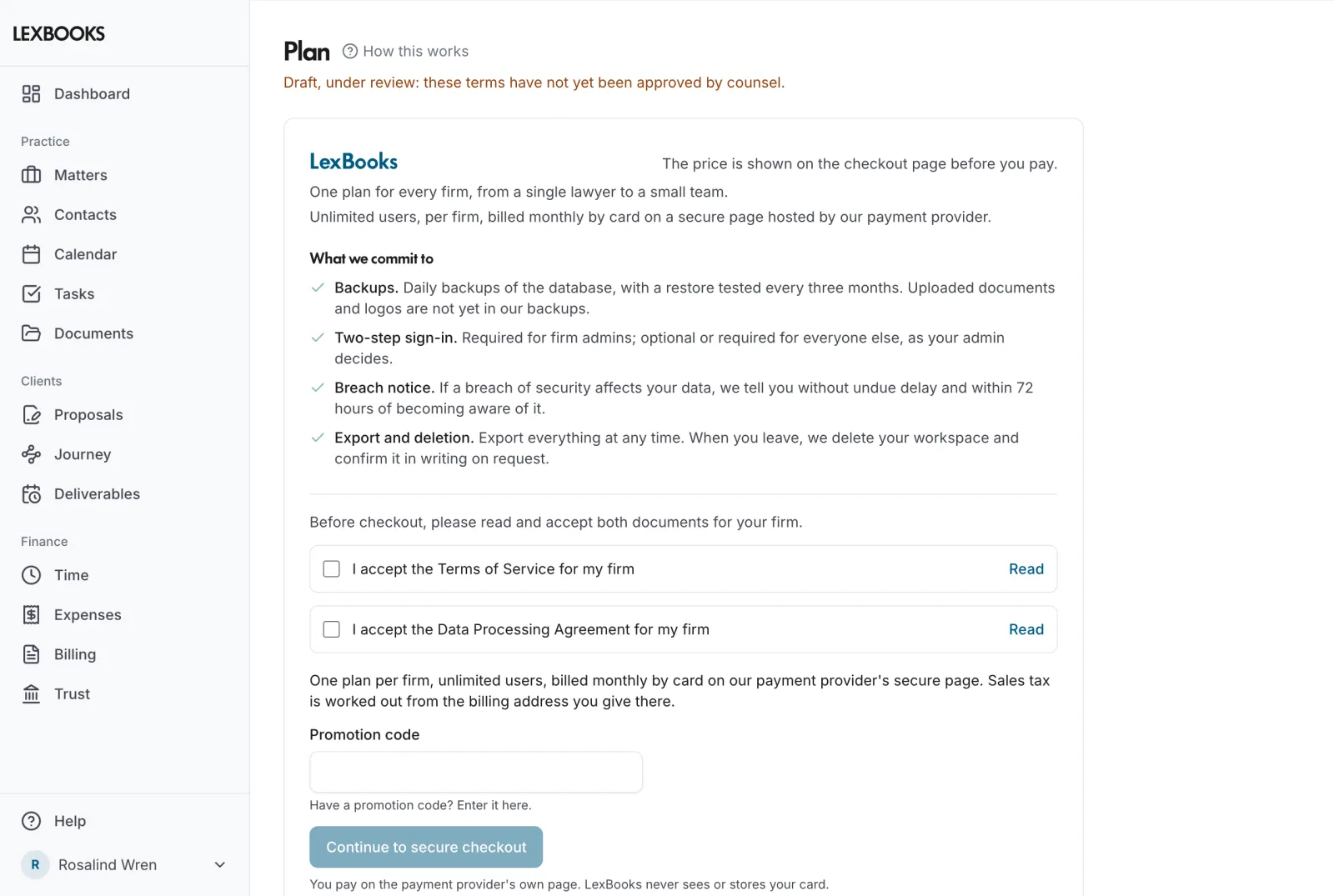
If you subscribe during the trial, nothing is charged before the trial ends. The Plan page shows the date.
Change plan
On the Plan page, an administrator can move up to LexBooks Bridges or down to LexBooks Counsel. Moving up takes effect at once, and the difference for the rest of the period is added to your next invoice. Moving down takes effect at the end of the period you have paid for. Nothing is deleted.
Change the card, see invoices or cancel
- Open Plan.
- Click Manage subscription.
- The payment provider's page opens. There you can change the card, see your invoices, or cancel the subscription.
What happens after you cancel
The subscription ends. Your workspace stays readable and you can download the export (see Export everything). To create new work again, subscribe again from the Plan page.
If something looks wrong
- “Only a firm admin can subscribe or change the subscription.” Ask an administrator of your firm.
- “The last payment did not go through.” Click Manage subscription and update the card within the days shown, or the workspace becomes read-only.
- “Checkout was cancelled. Nothing was charged.” You left the payment page before confirming. Start again from the Plan page.