Follow your proposals and letters
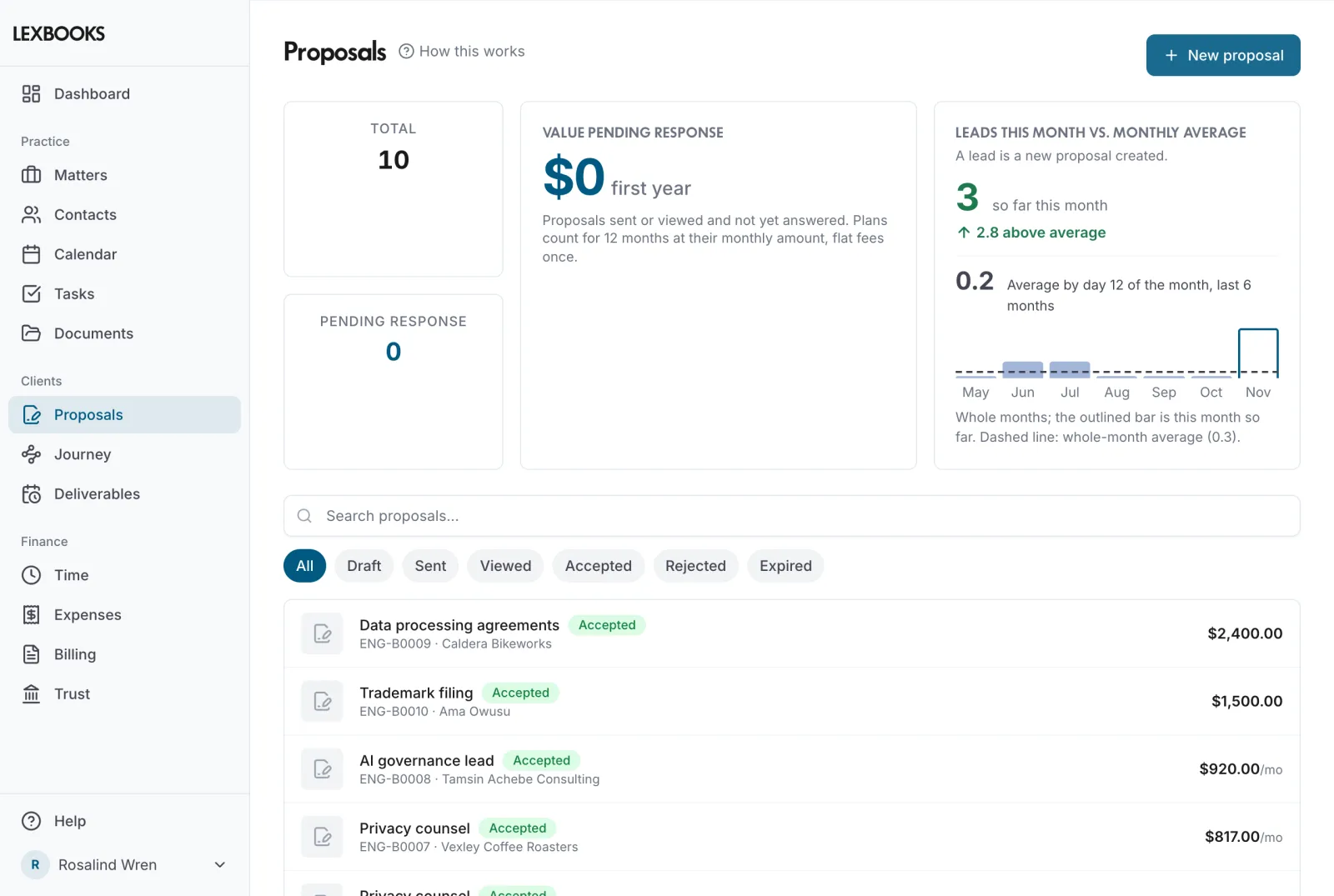
The Proposals page lists every proposal and engagement letter of your firm, with where each one stands.
Read the list
- Click Proposals in the left-hand menu.
- The figures at the top show how many you have, how many wait for an answer, and their value.
- Click a filter to see only some: Draft, Sent, Viewed, Accepted, Rejected or Expired.
- Type in Search proposals... to find one by its title or client.
What each status means, and what to do
| Status | What it means | What to do |
|---|---|---|
| Draft | Saved but not sent. The client cannot sign yet. | Open it, finish it and click Mark as sent. |
| Sent | Marked as sent. The client has not opened the link yet. | Wait, or send the link again. |
| Viewed | The client opened the link. | Wait for their answer. |
| Accepted | The client signed. | See The matter that opens by itself. |
| Rejected | The client declined. | Read their note under Details. |
| Expired | Its validity ended before the client answered. | Click More actions (three dots), then Duplicate, and send the new version. |
| Replaced by a newer version | You made a new version with Duplicate. | Use the newest version. |
What happens next
Letters about to expire and letters waiting for the client also appear on the dashboard under Needs your attention.
If something looks wrong
- A letter shows Expired although the client wants to sign. Duplicate it and send the new version.
- You want to delete a letter. Open it, click More actions (three dots) and choose Delete proposal. This cannot be undone.